Need more help with your subscription?
Accessing Java Support Through My Oracle Support
Java Support is provided via the My Oracle Support (MOS) portal. On MOS you can:
- Contact the Java Support team by filing a Service Request
- Download current and archived versions of the JDK
- Search the knowledge base for troubleshooting information
For detailed information on how to use MOS, see My Oracle Support - Portal Documentation.
This page contains additional information specific to Java SE subscribers.
Signing-In to My Oracle Support
There are 4 different sign-in paths on MOS, each for customers of different product types. Java SE Subscribers must log in using Support for Oracle Hardware, Software, and Managed Cloud. My Oracle Support - Portal Documentation refers to this as "Option 3."
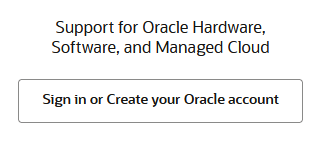
Registering as a New My Oracle Support User
There are 4 different registration paths on MOS, each for customers of different product types. Java SE Subscribers must register using Option 3: Support for Oracle Hardware, Software, and Managed Cloud as described in My Oracle Support - Portal Documentation.
Important Java Documents
The following documents on MOS contain information important for all Java users.
- Information Center: Oracle Java SE - All Versions (KA752)
- Supported Java SE and Java Component Downloads on MOS (KA961)
- Java SE Release Types, Version Numbering, and Release Roadmap (KB157163)
- What Java SE JDK / JRE / JVM Brands and Versions are Supported by Oracle and How to Obtain Support for Them (KB280743)
- Triage Support Policy (KB658958)